
How to Turn a Video Into a Standalone Text Post
Find one point in the video that works without the visuals. In AI Studio → Text post, choose X or Threads and Single post, then edit it into a complete thought.
Make a single post for X or Threads
Pick one takeaway
Find a line or moment that makes sense without the video.
Choose the platform and format
Open Text post in AI Studio. Choose X or Threads, then the standalone post format.
Edit for a self-contained read
Replace references like “in this video” with the useful instruction. Check the displayed limit and copy the draft when it reads clearly.
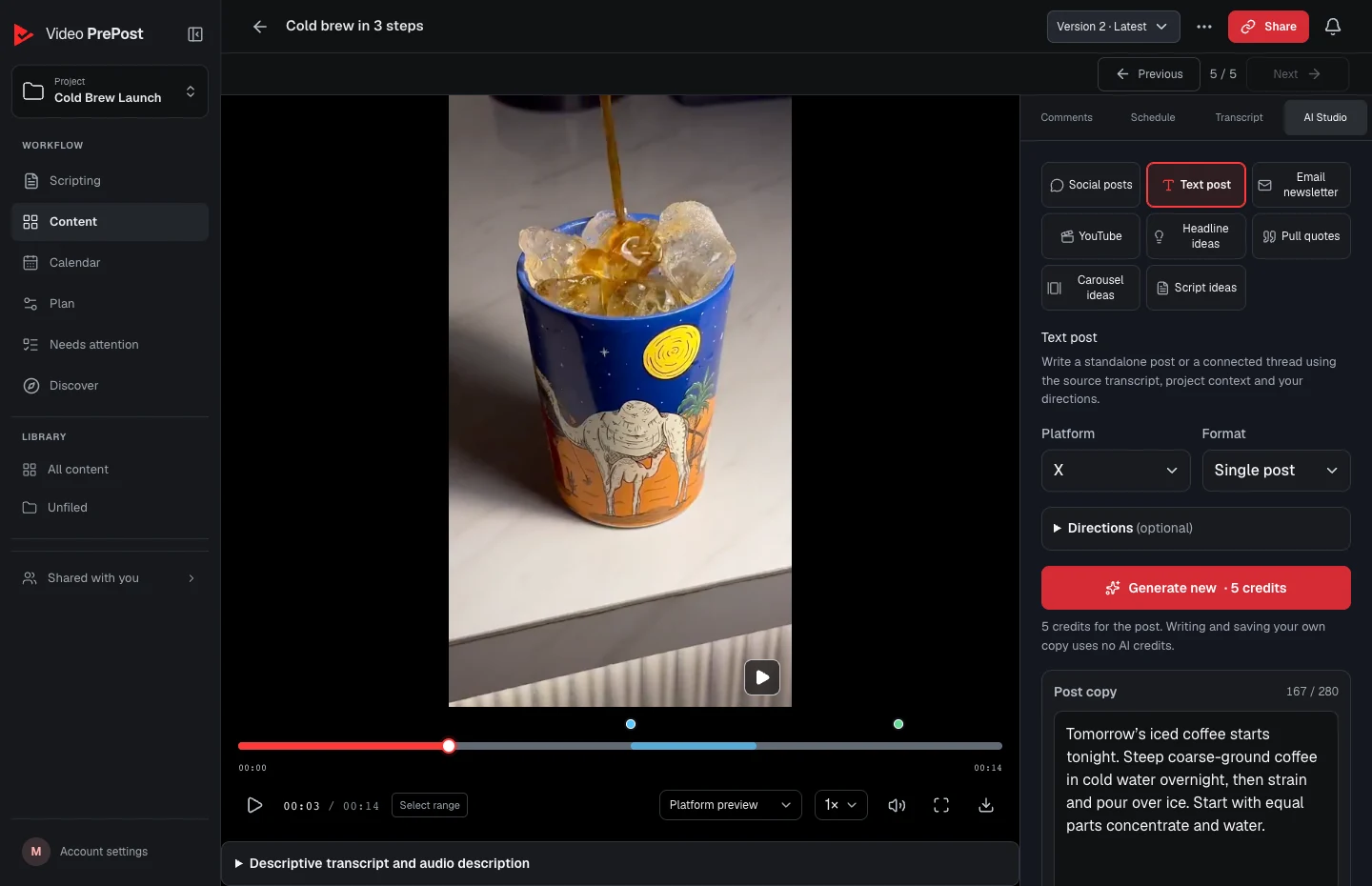
Make the recipe tip stand on its own
Keep the biggest takeaway in one post. Link the video separately only if it adds something the text cannot show.
Tomorrow’s iced coffee starts tonight. Steep coarse-ground coffee in cold water overnight, then strain and pour over ice.
Write for someone who never saw the video
Text post turns a video or image into written copy for X or Threads. Choose a standalone post when one takeaway fits the format.
A creator can share an idea with people who prefer to read or who didn’t see the original clip. The post is most useful when it includes an immediately actionable detail.