
How to Get Client Feedback on an Instagram Carousel
Save the carousel as its own post, open it in Content, and share it for review. Ask the client to open the relevant slide before commenting so you can find the right change.
Share a finished carousel for slide feedback
Save the carousel as a post
Finish the carousel draft and create the carousel post in the project.
Share the review
Open the new post in Content and share its review link with comments enabled.
Ask for slide-specific decisions
Ask reviewers to open the slide before commenting. Check the cover, any specific claims, and the last slide’s action before approval.
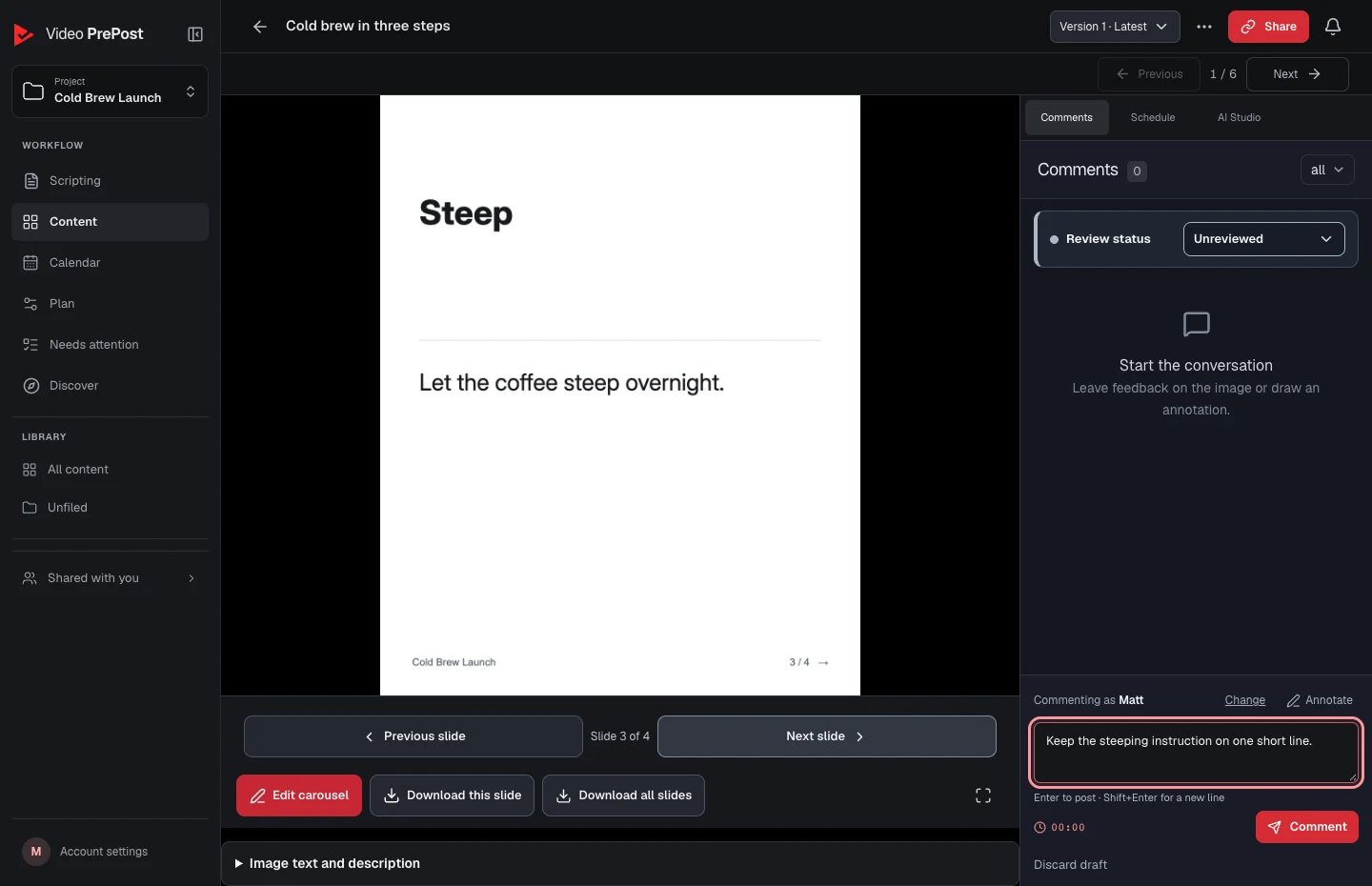
Clarify slide three
The client asks for “steep overnight” on slide three and wants the line kept short so it reads on mobile. The designer updates that slide and asks the client to check the revised carousel.
Review the cover, the claims, and the closing slide
A carousel saved as a post can be opened and shared from Content. Reviewers can move between slides, and feedback can point to the slide that needs attention.
A designer or client may agree with the overall carousel but need one important line changed. Slide-specific notes cut down the work of matching feedback to files or exported screenshots.