
How to Get Client Sign-Off on a Video
Ask the designated reviewer to open the latest version and set Review status to Approved once they’ve watched it. Recheck the status after each replacement upload.
Record approval on the latest cut
Name the approver
Decide who can sign off and tell them which version is under review.
Request a status change
Ask the approver to set Needs edits if revisions remain or Approved once they have checked the video.
Verify the latest cut
Confirm the visible version and decision before moving it into your posting plan. A replacement can reset the review status, so check again after every new upload.
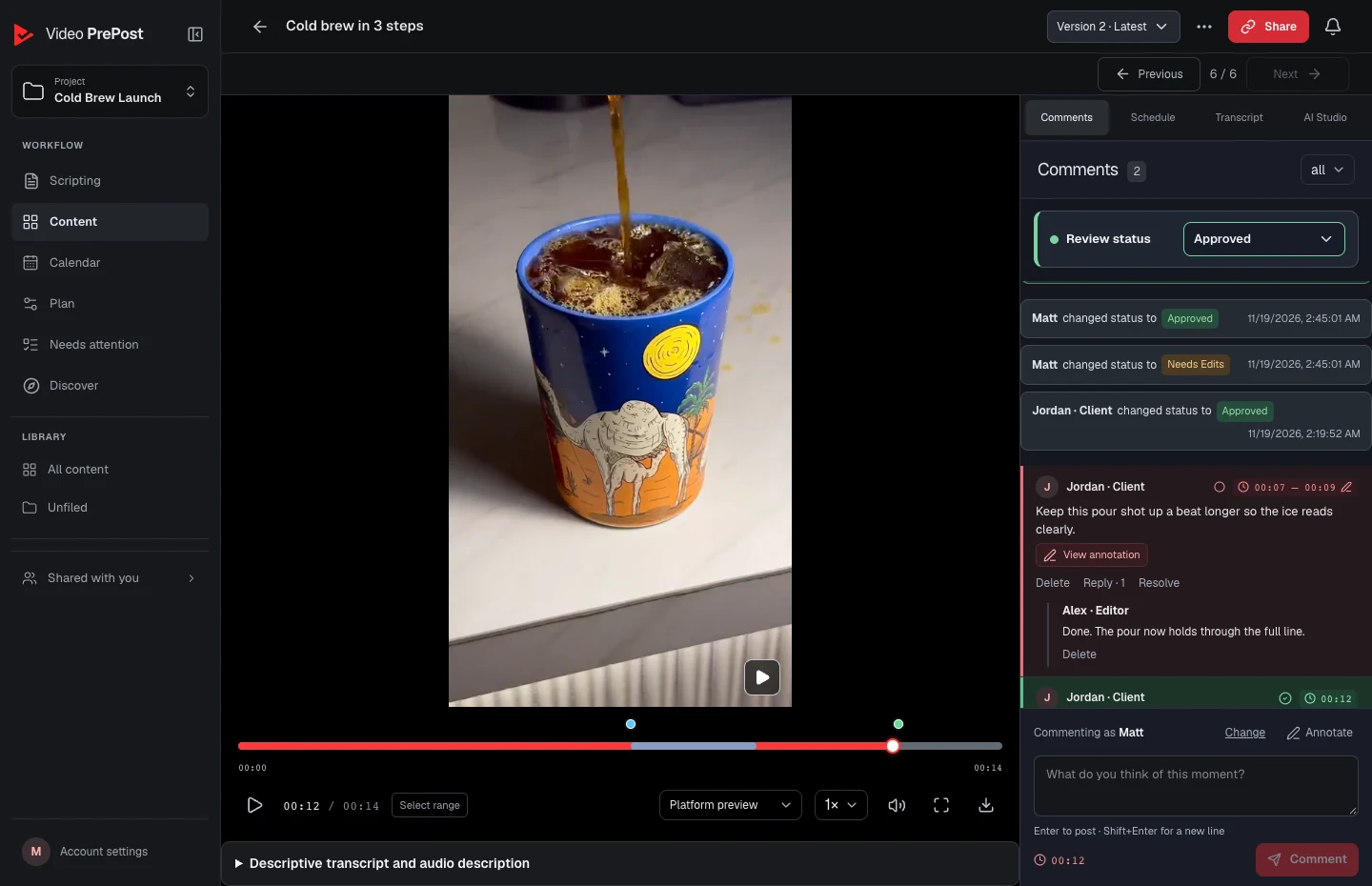
Approve the version the team will use
The coffee shop approves V2 after checking the extra time on the pour and the recipe closing line. The social coordinator opens that post and sees Approved before giving it a date.
Decide who gives the final sign-off
The review status records the decision attached to a post. Use Needs edits while an update is outstanding. Reserve Approved for the person who can sign off on the current cut.
Producers and social teams need to distinguish a favorable comment from the actual decision to move forward. A visible status is useful when the person doing the publishing was never part of the edit conversation.