
How to Plan Social Videos in a Spreadsheet View
Create Plan rows for the dates you intend to post. Add a working title, post type, and editor to each row. Attach the actual video when it’s ready.
Create your first week of Plan rows
Make space for what is coming
Open Plan, select the project, and create rows for the dates you intend to post. Enter working titles as placeholders.
Assign what each row needs
Set the post type and editor. Use notes for instructions the editor should see before cutting.
Attach ready videos
Select the content that belongs to a row when it is available. Watch the review and approval columns as the work moves through production.
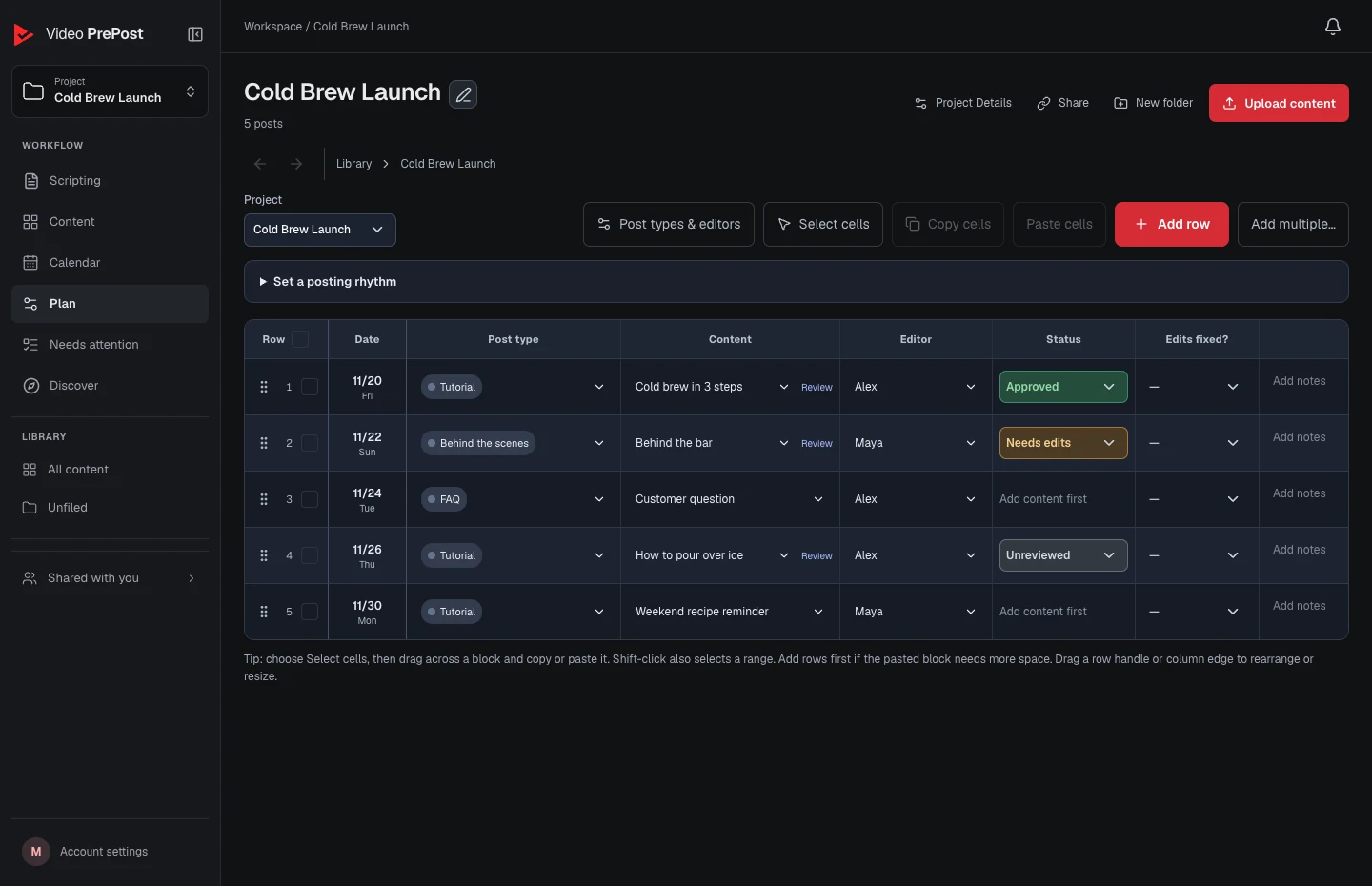
Plan a week while two edits are in progress
Create rows for Tutorial, Behind the scenes, and FAQ. Alex gets both the tutorial and FAQ, Maya gets the behind-the-scenes clip, and the FAQ row exists before the footage is uploaded.
Plan the work before the files arrive
Plan is the spreadsheet-style view of the project. Add a date and a working title before production, then attach the media and keep the editor, post type, and review decisions with that row.
An agency or solo producer can plan several weeks of work without asking for finished videos first. The table makes it easy to compare rows, scan for unassigned edits, and see where something is waiting for sign-off.