
How to Track Who Is Editing Each Video
Open the Editor cell on a Plan row, choose the person cutting that video, and check its Status before following up. Assign a named owner even if the row is still a placeholder.
Assign an editor to a video
Create or open the Plan row
Pick the row for the right video or placeholder.
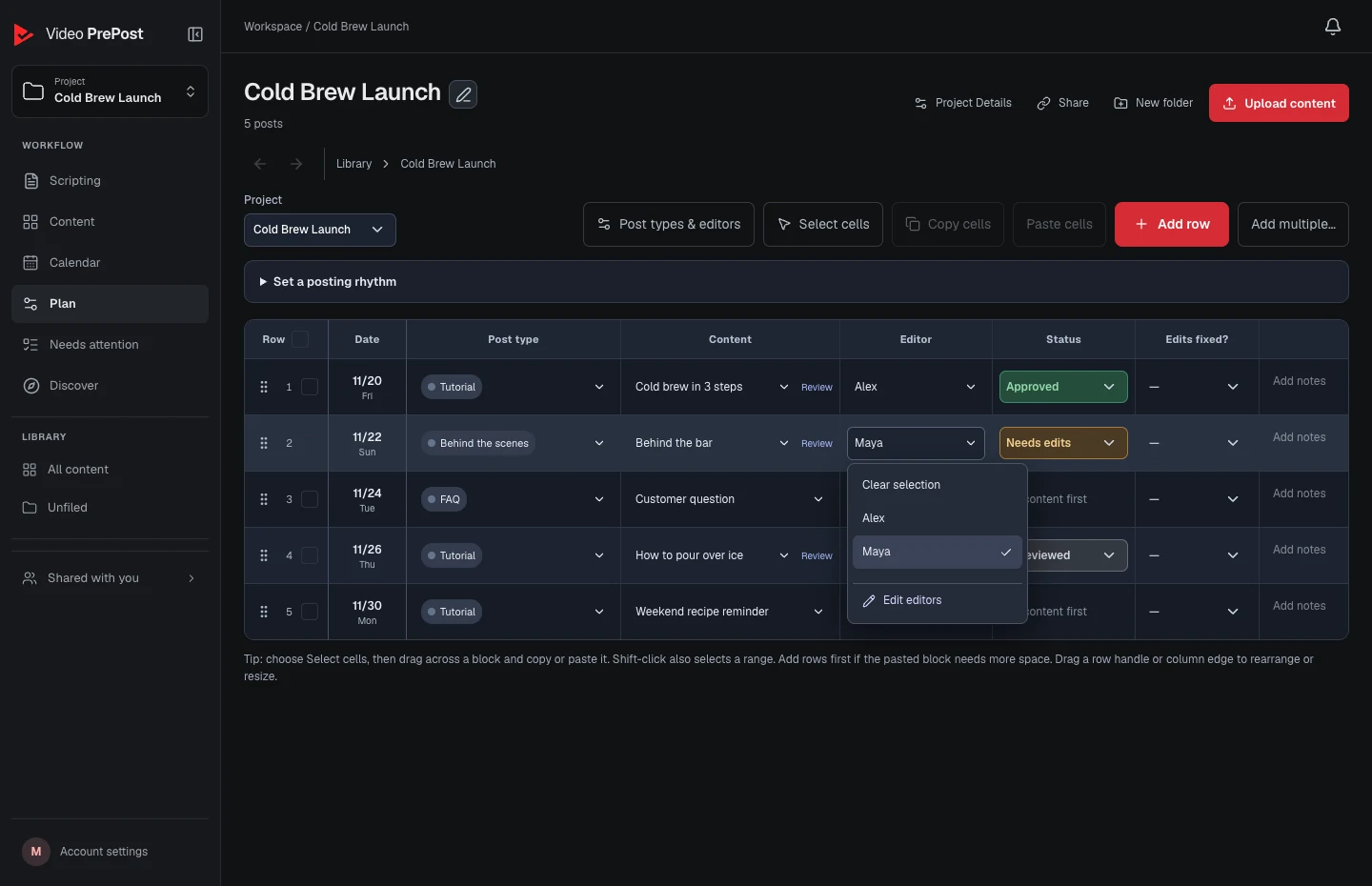
Set the editor
Pick a person in the Editor cell. If their name isn’t listed, use Post types & editors to add it, then return to the row. Add a note if there is a particular deliverable or revision requirement.
Review the next handoff
Read Status and Edits fixed? before following up. If the cut is ready and awaiting a decision, follow up with the reviewer. If it needs edits, start with the person in the Editor cell.
Route the right question to the right person
Alex owns the FAQ and Maya owns Behind the bar. If the behind-the-scenes clip has a new timing note, the producer can identify Maya as the editor directly from the row.
Know who owns the next handoff
The Editor column records the person assigned to the cut. It sits next to the post’s date, file, and review progress so the team can see both the owner and the next handoff.
When several people edit in the same week, a visible assignment makes it easy to follow up with the right person. It also helps a lead identify overloaded editors before a deadline slips.