
How to Password-Protect a Video Review Link
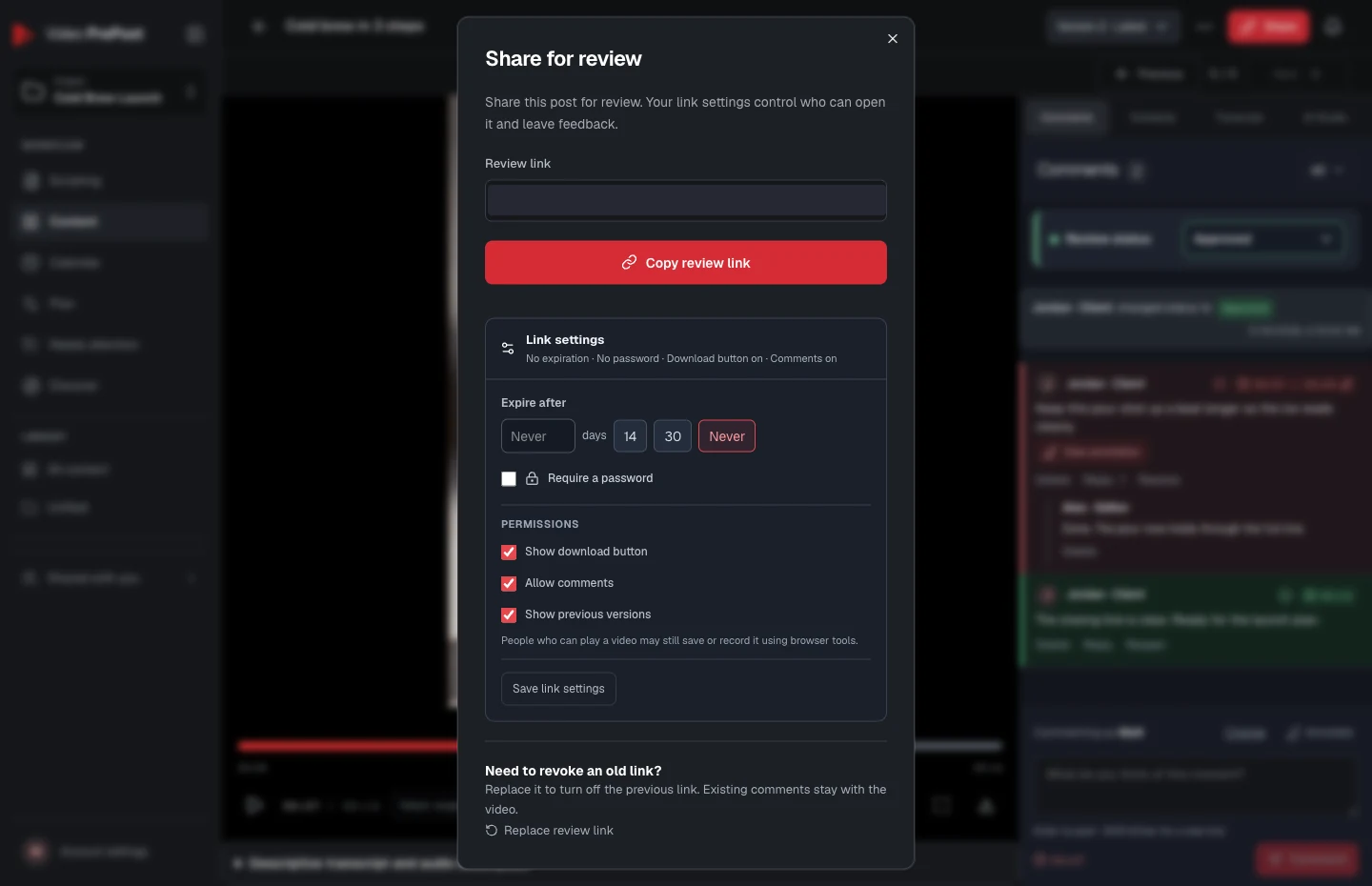
Open the video’s Share panel, expand Link settings, and turn on Require a password. Save your changes and open the link in a private window to confirm the password prompt.
Set and test a review password
Open Share for review
From the video post, bring up the sharing panel and expand the settings.
Set a password and expiry
Turn on Require a password and choose the review window. Set the download, comment, and version options for this review.
Test and share
Save, then open the link in a private window. Verify the password prompt and send the password separately if the project calls for it.
Review an embargoed recipe reel
The client needs two days to review before launch. Set a three-day expiry so there is a little buffer, keep comments available, and turn downloads off during the review window.
Choose what reviewers can do
Share settings let you require a password, choose how many days a link should work, and control comments, downloads, and old versions. You can replace a link if you need to revoke the previous one.
An editor sharing an unreleased video may want a narrower review window or fewer copies circulating. Choose rules that still let the client do their job. For example, keep comments on if you need feedback and disable downloads when the reviewer needs playback only.