
Video Review Software for Client Feedback
Upload a cut to the Review Room, share its link with the client, and collect notes on the exact frames they want changed. When you upload a revision, ask for a fresh sign-off on the latest cut.
Set up a client video review
Add a first cut
Open Content in the right client project and upload the video. Give it a clear name based on the deliverable.
Send it to the reviewers
Open the post, select Share for review, and test the link in a private window so you can see the client view.
Collect and resolve notes
Ask reviewers to pause at the relevant moment and leave a specific request. Reply when a decision needs clarification, then resolve the note after the change is checked.
Keep the revision with the review
Upload the replacement as a new version. Ask for approval of the latest cut before treating it as ready.
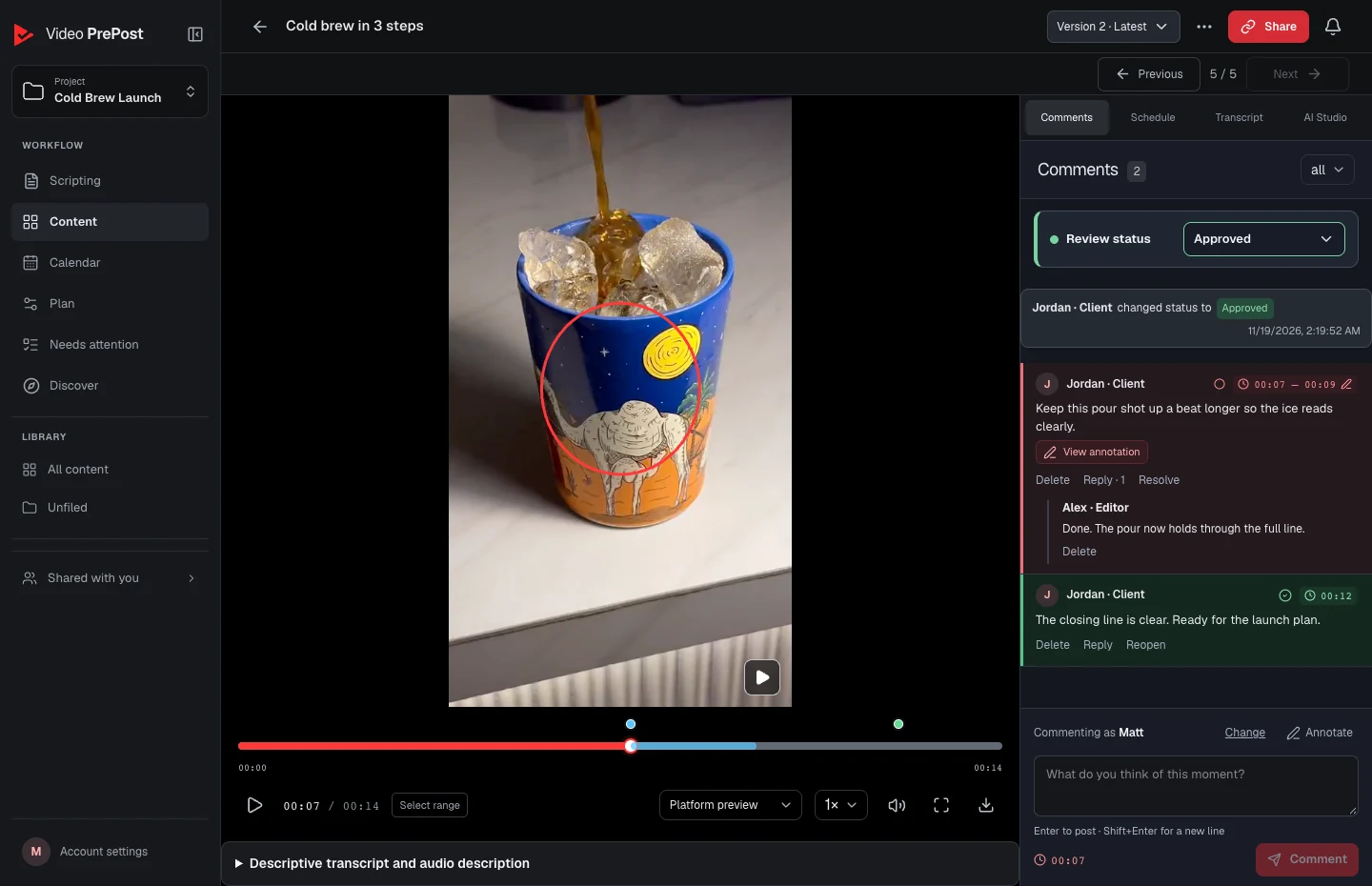
One link for a cold-brew launch
A coffee shop reviews a recipe reel. The client wants the pour visible for longer and marks the point where it ends. The editor uploads version two under the same post, verifies the revised shot, and the client approves that version. The team can now give it a posting date.
Keep notes with the cut they refer to
The Review Room gives clients and editors a shared page for each cut. It keeps the player, comments, drawings, version history, and approval status together.
Freelance editors and content teams can ask clients to review one link and give the editor an actionable queue. If three people review a cut, their feedback stays attached to the relevant version and moment. The person overseeing the project can see when it is ready to plan.